
Home » Microsoft Dynamics 365 Hub» Microsoft Dynamics 365 Add-Ons » EZ Notes
EZ Notes for Microsoft Dynamics 365 – Stay Organized and Find Information Faster
Use EZ Notes to streamline note-taking and keep important details at your fingertips.
- Capture key information quickly
- Organize notes with structured formatting
- Find what you need in seconds
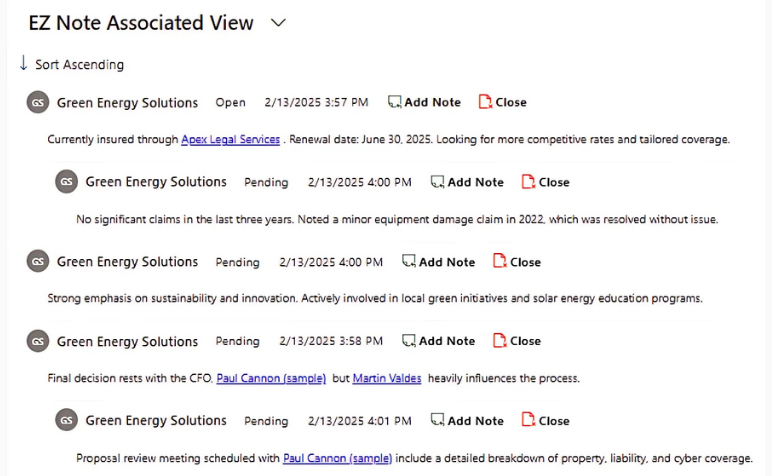
How EZ Notes Makes Your Life Easier
Jumping between records to track conversations or find past notes can slow your team down. Too often, important details get buried, and critical follow-ups slip through the cracks—leading to missed opportunities and frustrated customers.
The next time you need to log a customer interaction, add follow-up details, or reference past notes, do it faster and easier with EZ Notes!
With just a few clicks, your team can take notes, organize follow-ups, and retrieve information instantly—without digging through messy records.
Stop losing time on scattered notes. Keep everything clear, structured, and easy to find with EZ Notes for Microsoft Dynamics 365!
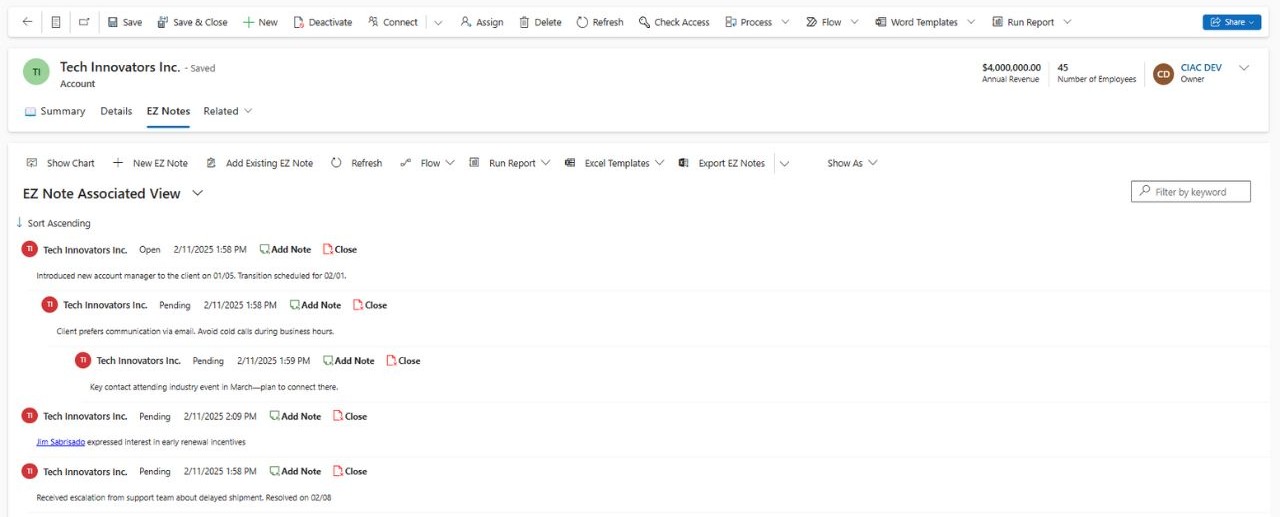
Get More Done In Less Time with EZ Notes
EZ Notes is packed with smart features designed to save you time and keep you focused. Taking notes should be effortless.
No distractions, no wasted time, just a fast and easy way to capture important details when you need them.
Enjoy These Powerful Time-Saving Features
1. Keep Everything Organized with Threaded Child Notes
Messy, unstructured notes make it difficult to track important details and follow-ups.
With threaded child notes, you can keep conversations, updates, and next steps organized under a primary note—so nothing gets lost. Stay on top of customer interactions and ensure your team has a clear history of every engagement.
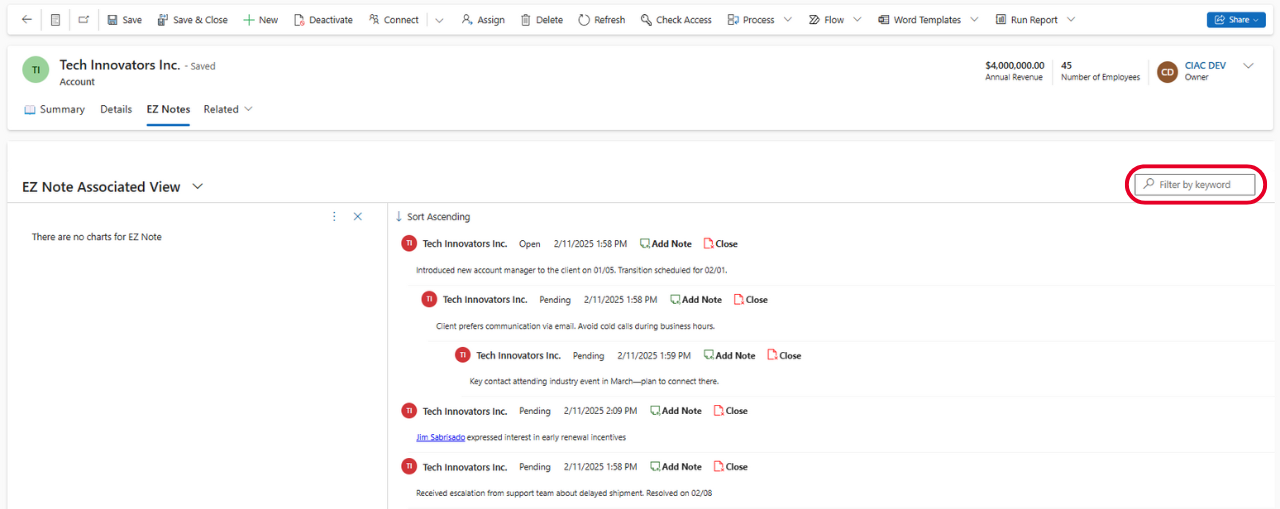
2. Quickly Locate Notes with a Built-In Search Bar
Stop wasting time scrolling through endless records trying to find past notes.
EZ Notes’ built-in search bar lets you quickly locate specific notes using keywords—helping your team retrieve important information in seconds and take action without delays.
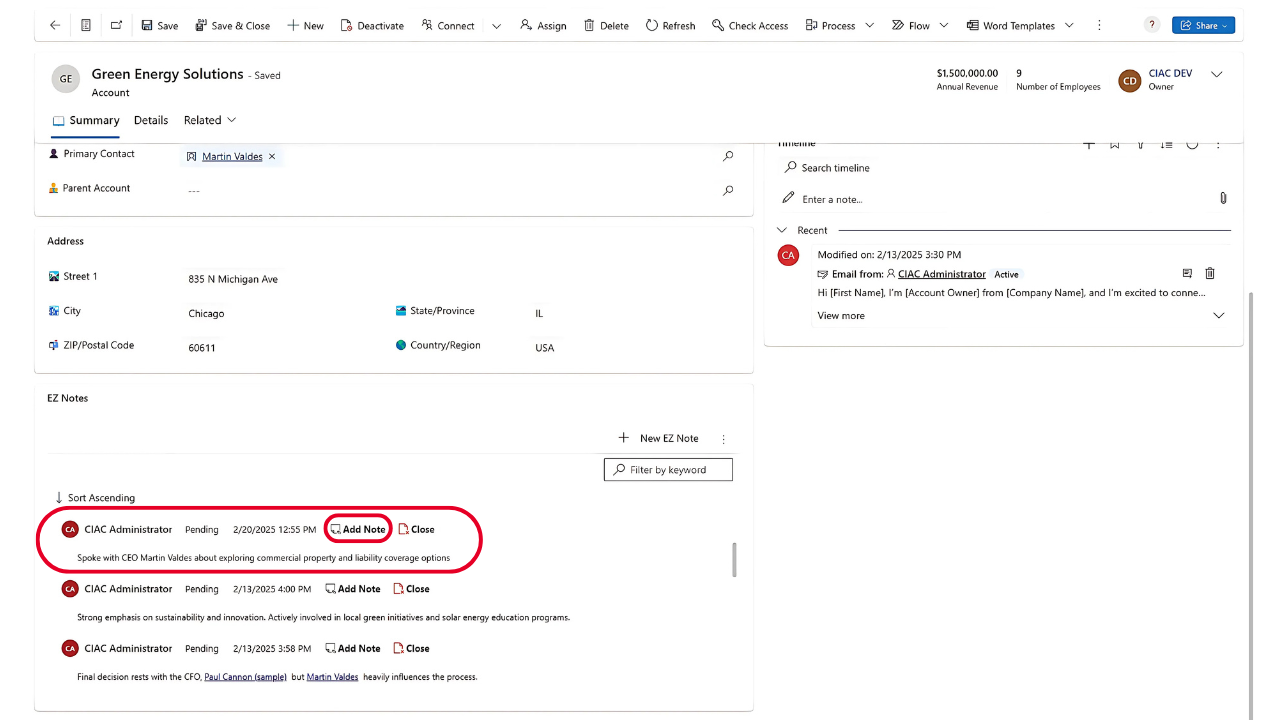
3. Add Notes Instantly with Auto-Populated Fields
Manual data entry slows your team down and increases the risk of errors.
EZ Notes automatically populates key fields, so your team can quickly log important details without extra clicks or repetitive typing. Spend less time entering data and more time focusing on customers.
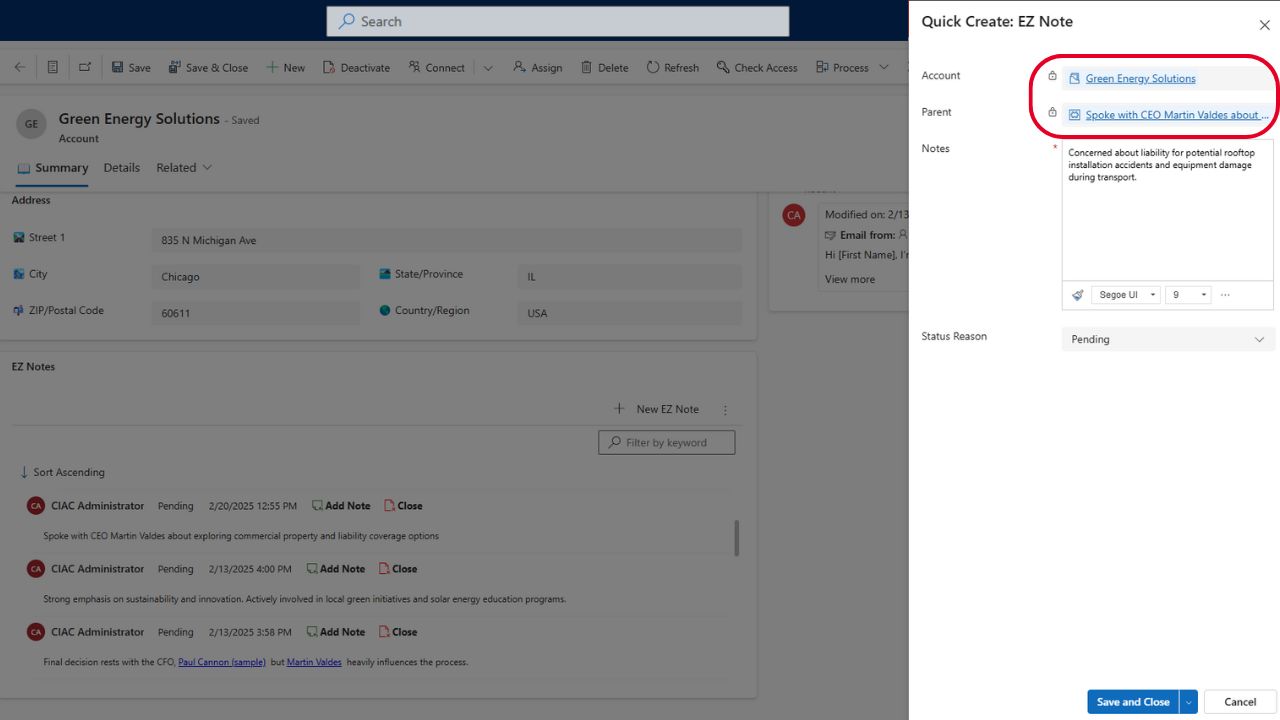
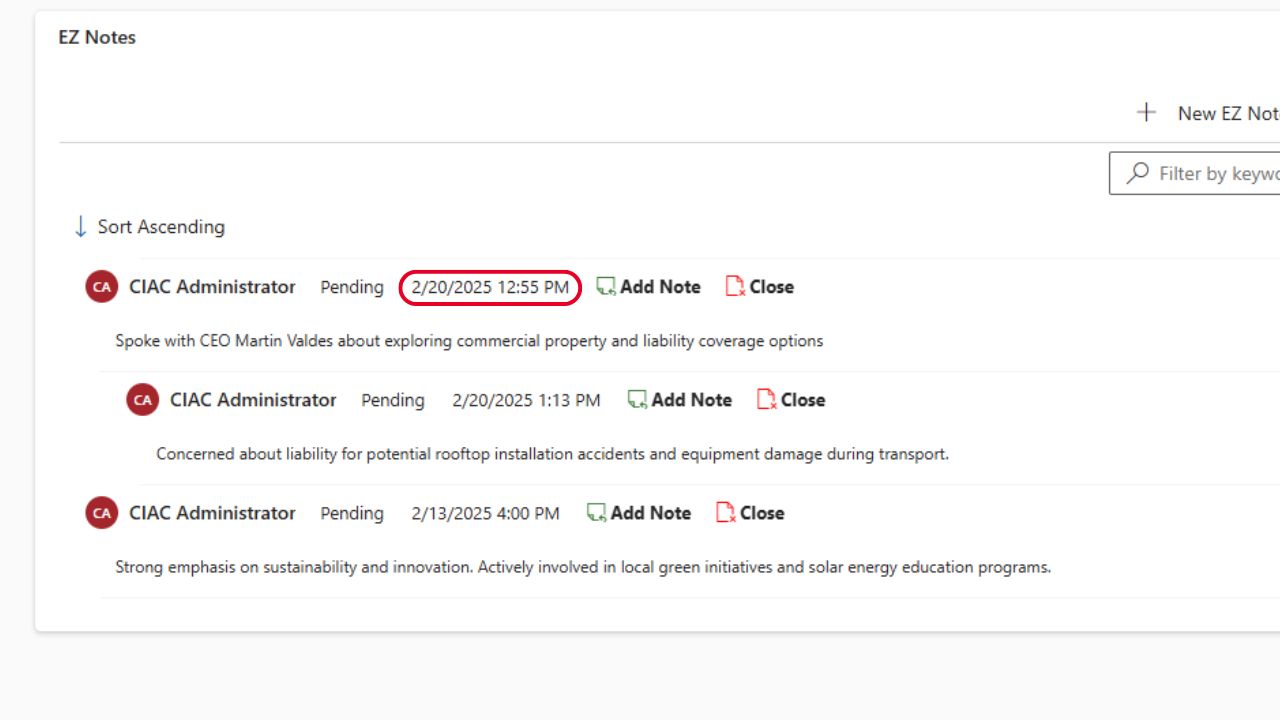
4. Stay Confident with Accurate Timestamps
Ensure every note is logged with clear, reliable timestamps, so you always know when information was added or updated.
Keep a precise record of customer interactions, giving your team full visibility into conversations and follow-ups.
How To Make Your Own EZ Notes
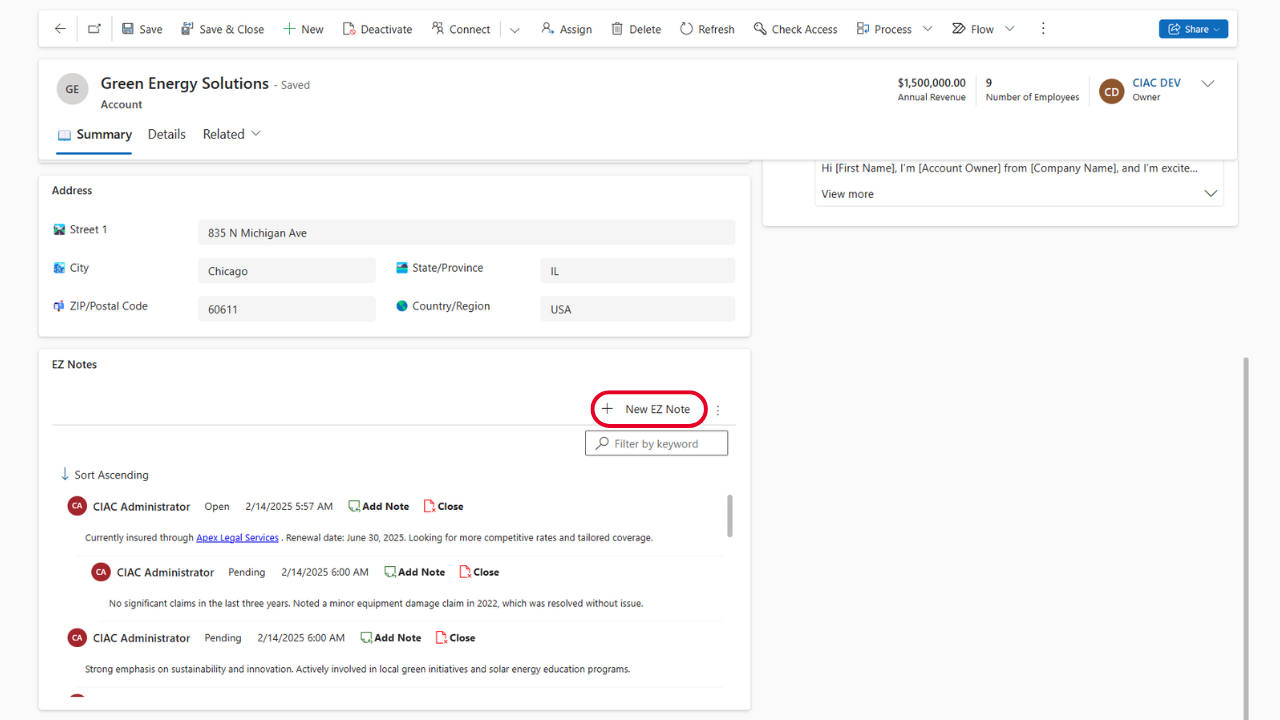
Step 1: Open the account you want to add an EZ Note to, scroll down, and click “New EZ Note.”
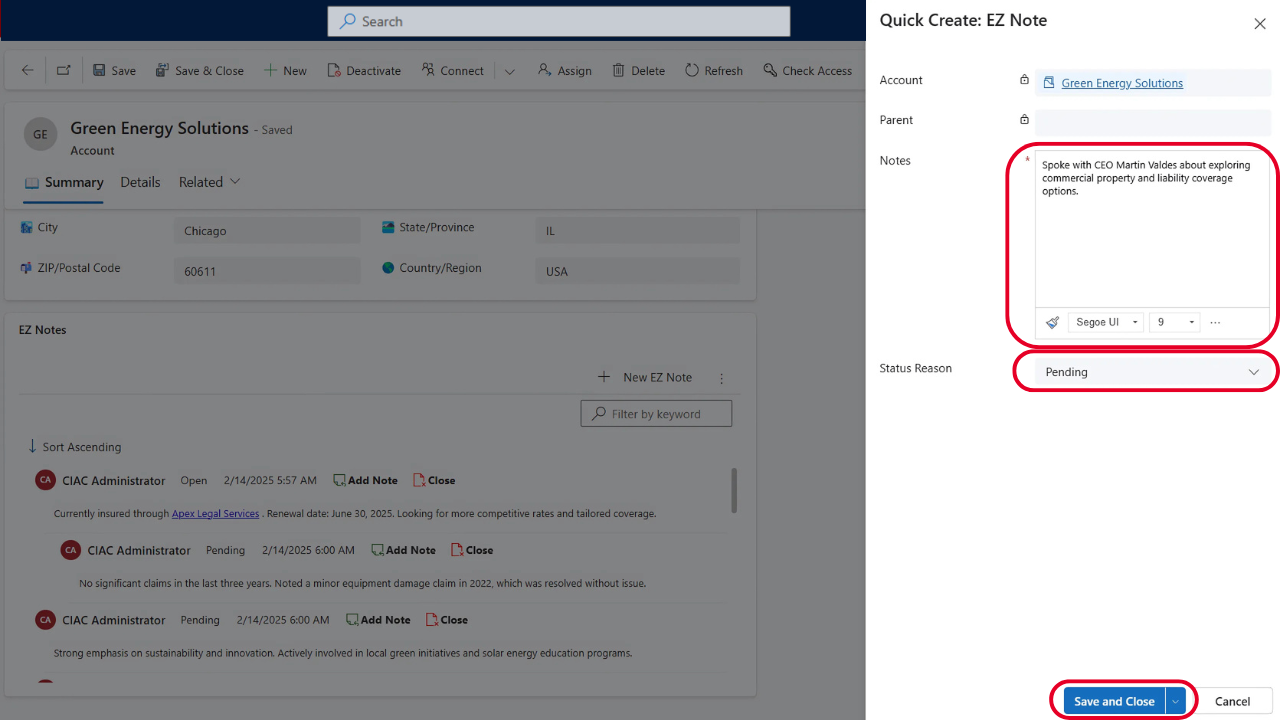
Step 2: Enter your note details, set the status to “Open,” “Closed,” or “Pending,” then click “Save and Close.”
Step 3: To add a Child Note, click “Add Note” next to the timestamp in your EZ Note.
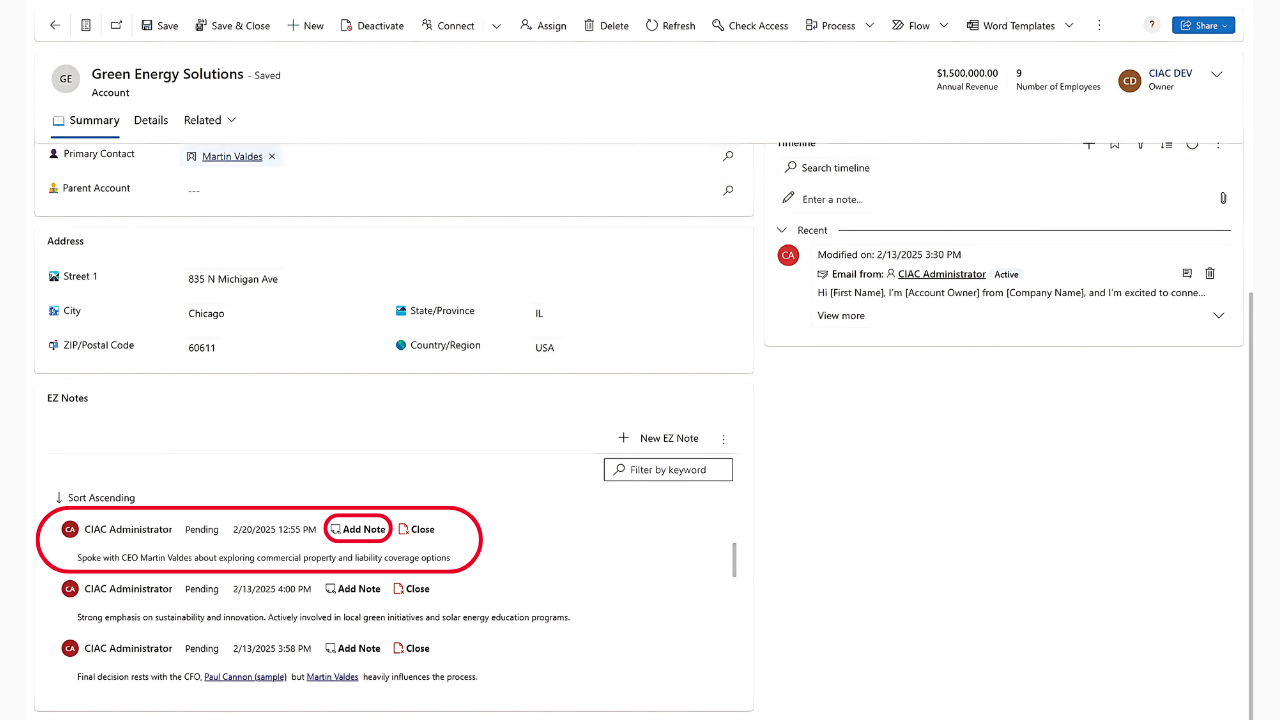
Step 4: Just like a regular EZ Note, fill in the details, set the status, and click “Save and Close.”
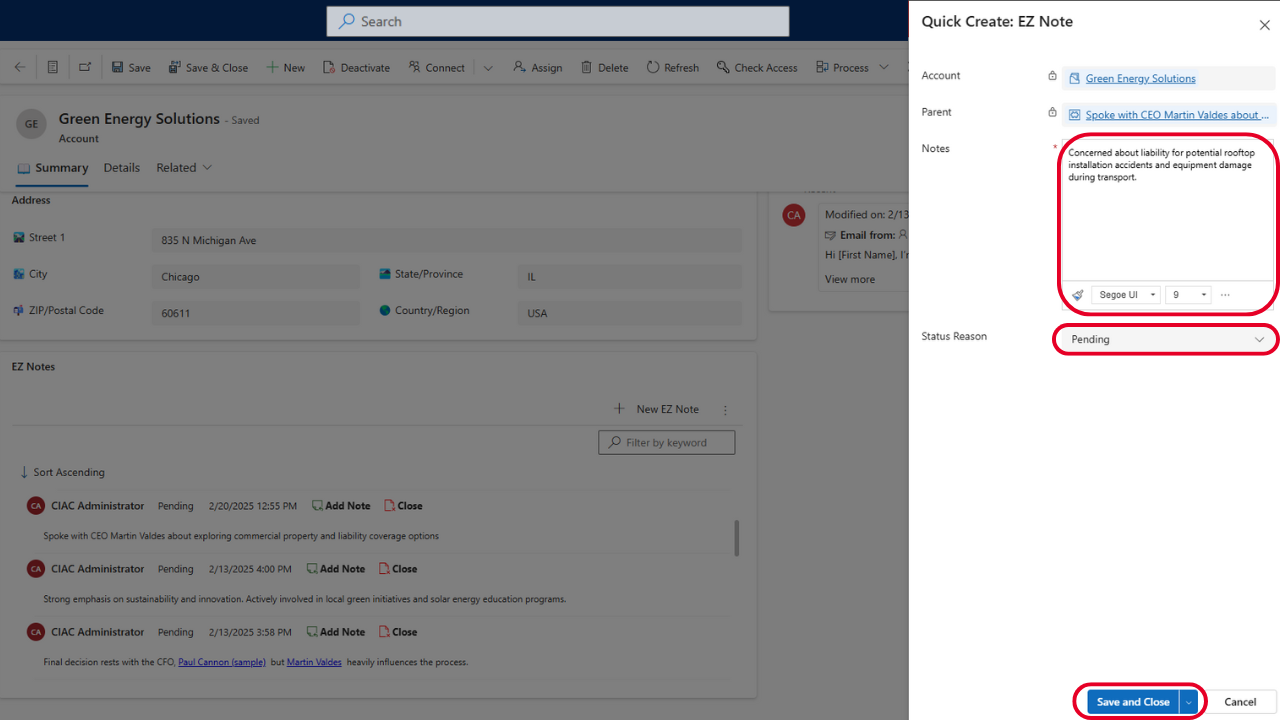
Step 5: Your EZ Note and Child Notes are now saved. You can edit, update the status, add more Child Notes, or close them anytime.
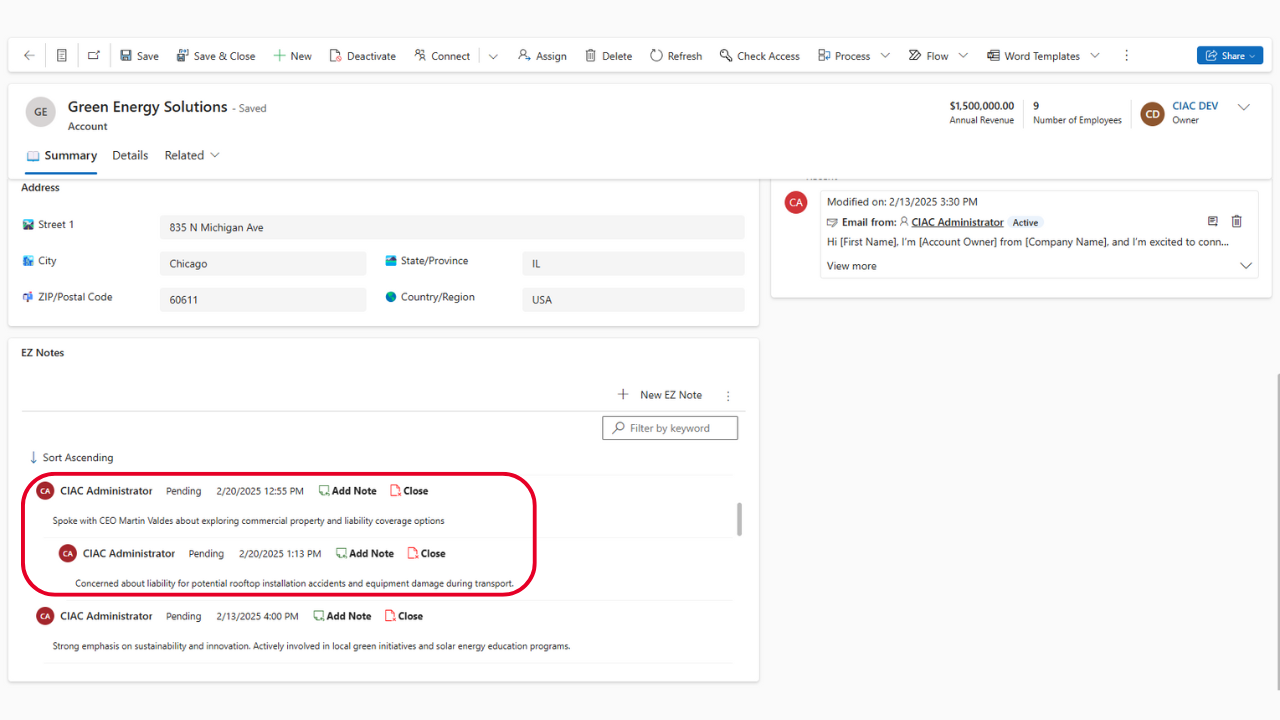
EZ Notes by Azamba is available for standalone purchase, or free with your OnTrack Virtual Coworker Membership for Premium and Preferred customers!
ONTRACK MEMBERS
OnTrack Virtual Coworker Membership Premium & Preferred members can schedule their install of EZ Notes today!
Terms of Service
By signing up for Azamba products and services, you are agreeing to our Terms of Service.